JU-works
Devlog 10 — External MSA Workflow
This devlog focuses on external multiple sequence alignment in JU SeqWorkbench Alpha.
JU SeqWorkbench is not intended to replace established MSA engines. Instead, the viewer connects to external aligners and brings the aligned result back into the inspection workflow.
The current alpha path recommends MAFFT. Clustal Omega is optional when the user already has a local executable.
Why external MSA is used
Multiple sequence alignment is a core step before point-based or region-based inspection.
However, alignment itself is a specialized task. Rather than reimplementing an aligner inside JU SeqWorkbench, the current workflow calls an external aligner through temporary FASTA files.
This keeps the viewer focused on:
- preparing the current working sequences for alignment
- running an external aligner
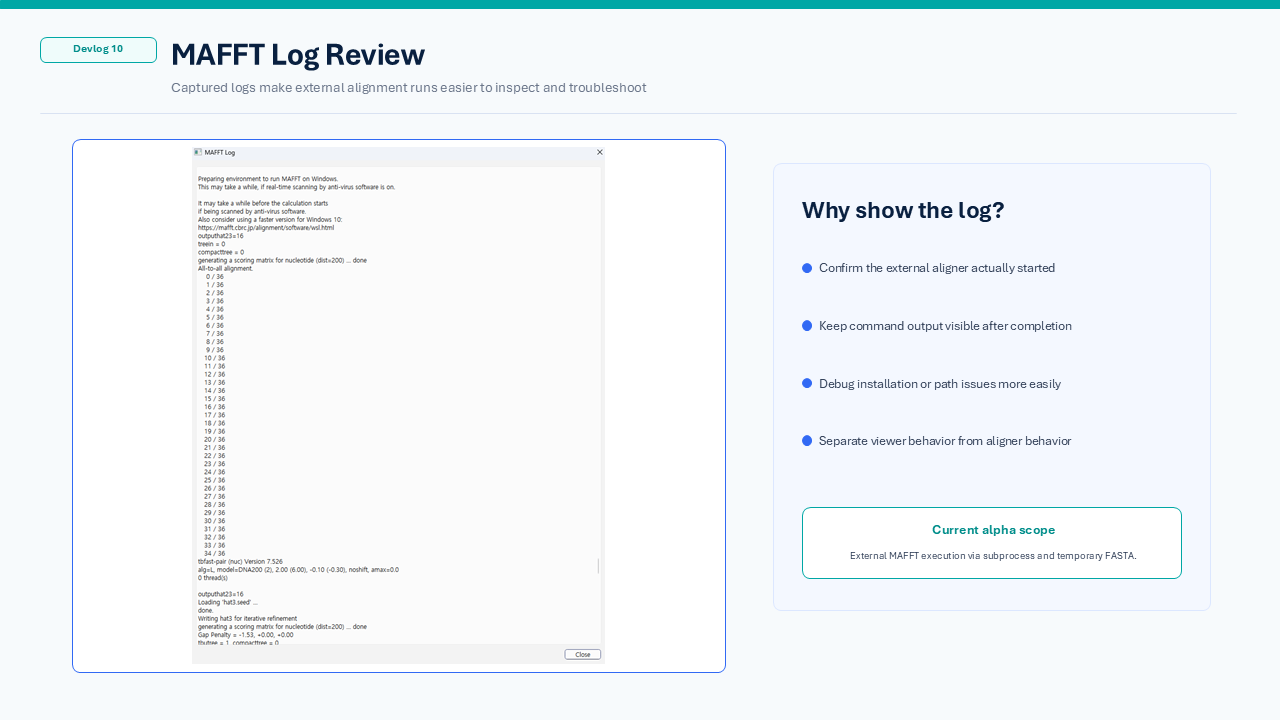
- showing progress and logs
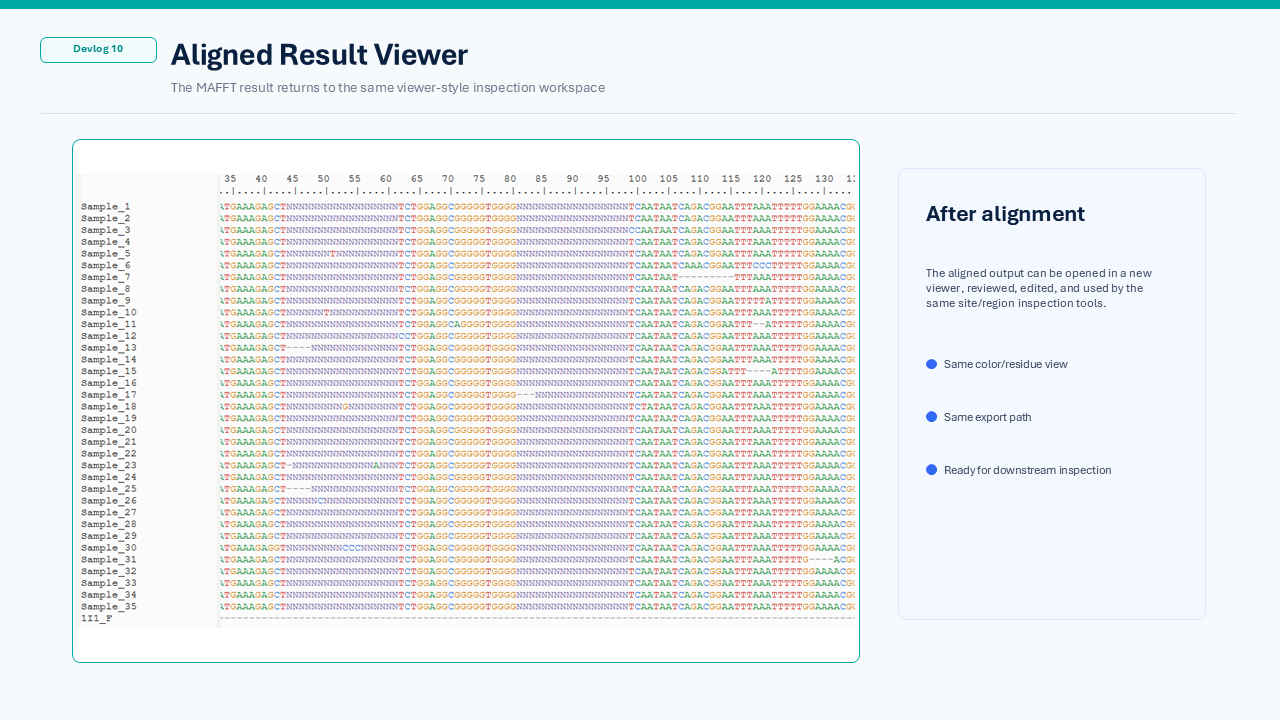
- opening or replacing the aligned result
- continuing inspection after alignment
Current workflow
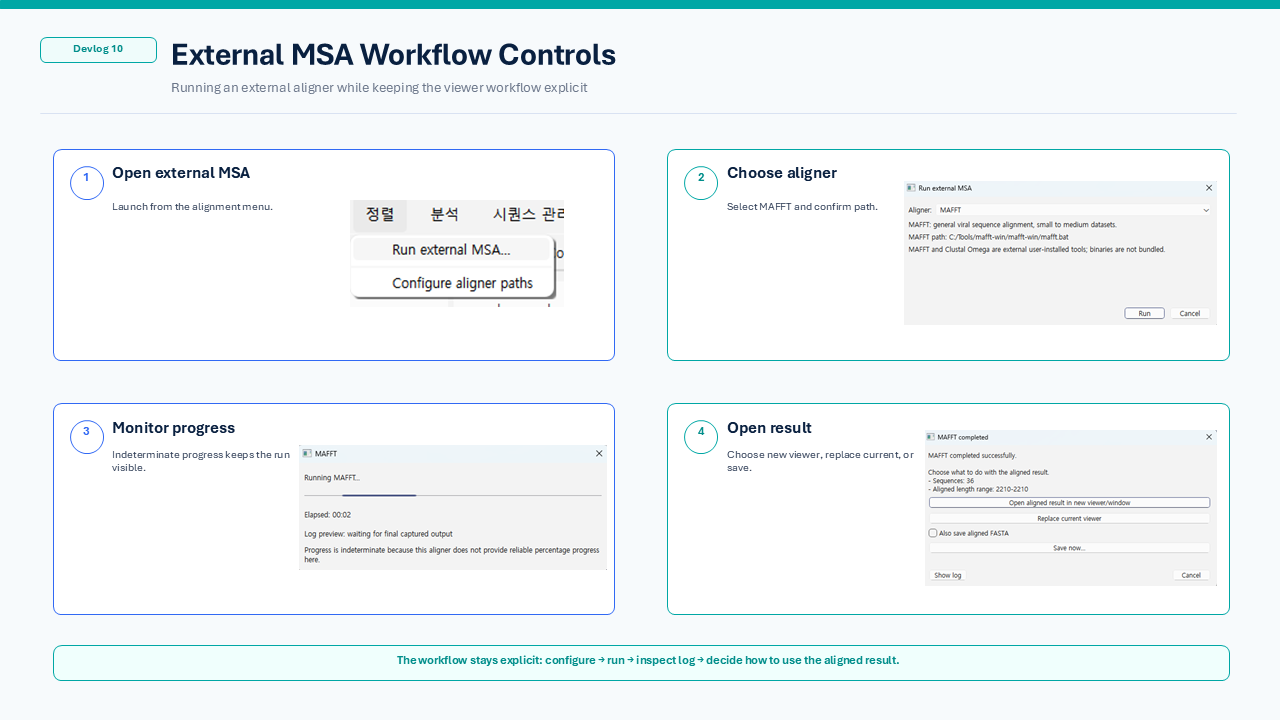
The current external MSA workflow is:
- Open the external MSA action from the Alignment menu.
- Choose/configure an available local aligner.
- Run the alignment using the current viewer sequences.
- Show progress while the aligner runs.
- Keep diagnostic/log information for troubleshooting.
- Open the aligned result in a new viewer or replace the current viewer, depending on the selected workflow.
This is designed as a practical desktop workflow rather than a hidden background process.
MAFFT as the recommended alpha path
MAFFT is currently treated as the recommended alpha aligner.
The current JU SeqWorkbench Alpha source does not bundle MAFFT or Clustal Omega binaries and does not automatically download them. Users connect separately installed local executables through the application settings/workflow.
The viewer calls the configured executable through subprocess and exchanges data through generated temporary FASTA input/output files.
This keeps the external-tool boundary clear and makes troubleshooting easier.
Before and after alignment
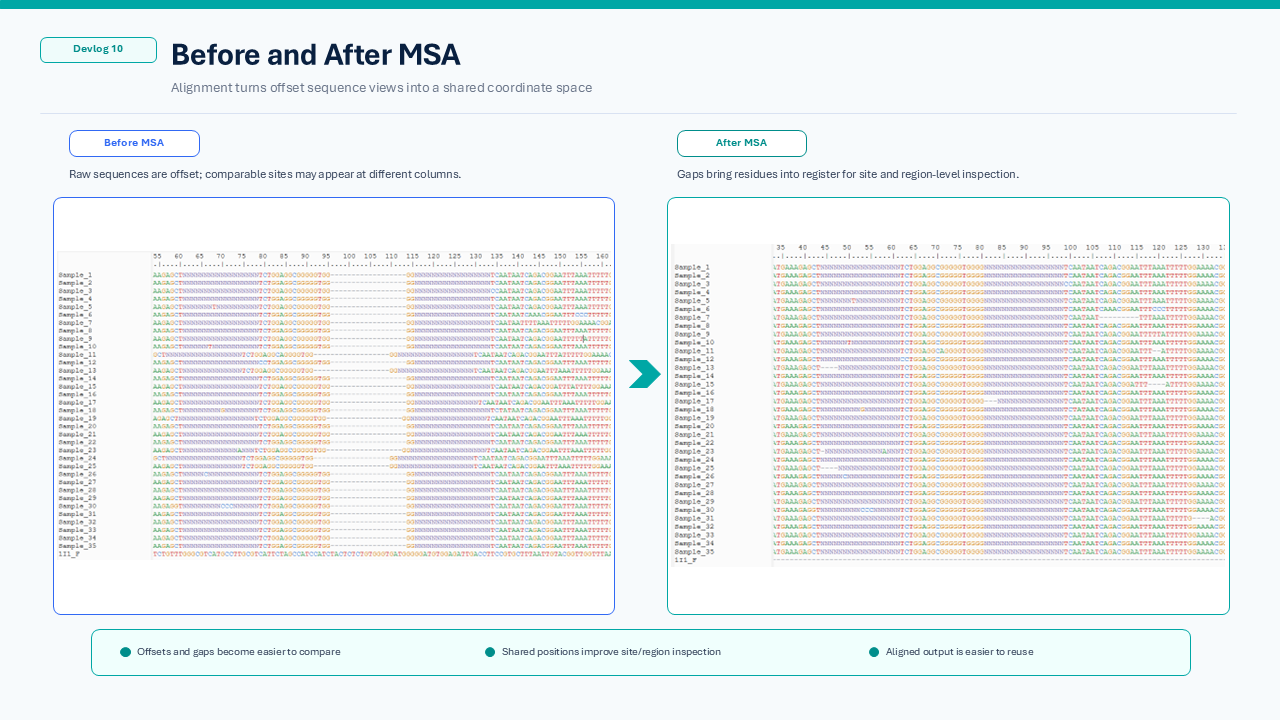
Before MSA, sequences may be offset or difficult to compare column-by-column.
After MSA, sequences are placed into a shared coordinate space. This makes downstream inspection more useful, especially for Point Visualization and Region Visualization.
Why this matters for later inspection
Point and region analysis depend on a meaningful alignment relationship.
A cleaner aligned view helps with:
- comparing the same aligned position across multiple sequences
- checking gaps and ambiguous regions
- running point-based mutation inspection
- running region-based metric inspection
- exporting a reusable aligned result
At the same time, alpha feedback has highlighted that alignment should not always be treated as the very first analytical decision for highly divergent viral datasets.
A planned post-alpha relationship layer may help users inspect similarity/tree structure, ORF-level or segment-level relationships, and candidate comparable regions before deciding which sequences should be aligned and analyzed together.
A possible later workflow is:
Sequence relationship inspection
→ choose a comparable sequence / ORF / segment / region set
→ external MSA
→ point or region inspection
→ visualization / export
Current alpha scope
The current goal is not to provide every possible alignment option.
The alpha focus is:
- use the current viewer working sequences as input
- avoid accidentally passing project/session files directly to an aligner
- run MAFFT through a configured external path
- optionally support an already installed Clustal Omega executable
- provide progress and diagnostic information
- let the user decide how to handle the aligned result
More advanced aligner options, additional tools, and deeper relationship-aware alignment workflows can be considered after the first alpha is released and tested.